
Clean TSV Paste vs Messy Browser Copy-Paste
Normal Ctrl+C carries over hidden HTML wrappers, inline CSS styles, icon fonts, and footnote citations that make Google Sheets rows explode in height and misalign columns. GridHarvest strips all DOM noise, normalizes US/EU currencies and negative signs, and copies crisp TSV ready for instant Ctrl+V / Cmd+V.
Copy Full Tables or Single Columns with Alt+Drag
- Full Table: Click the GridHarvest icon and click Copy for Sheets. Paste directly into cell A1 in Google Sheets.
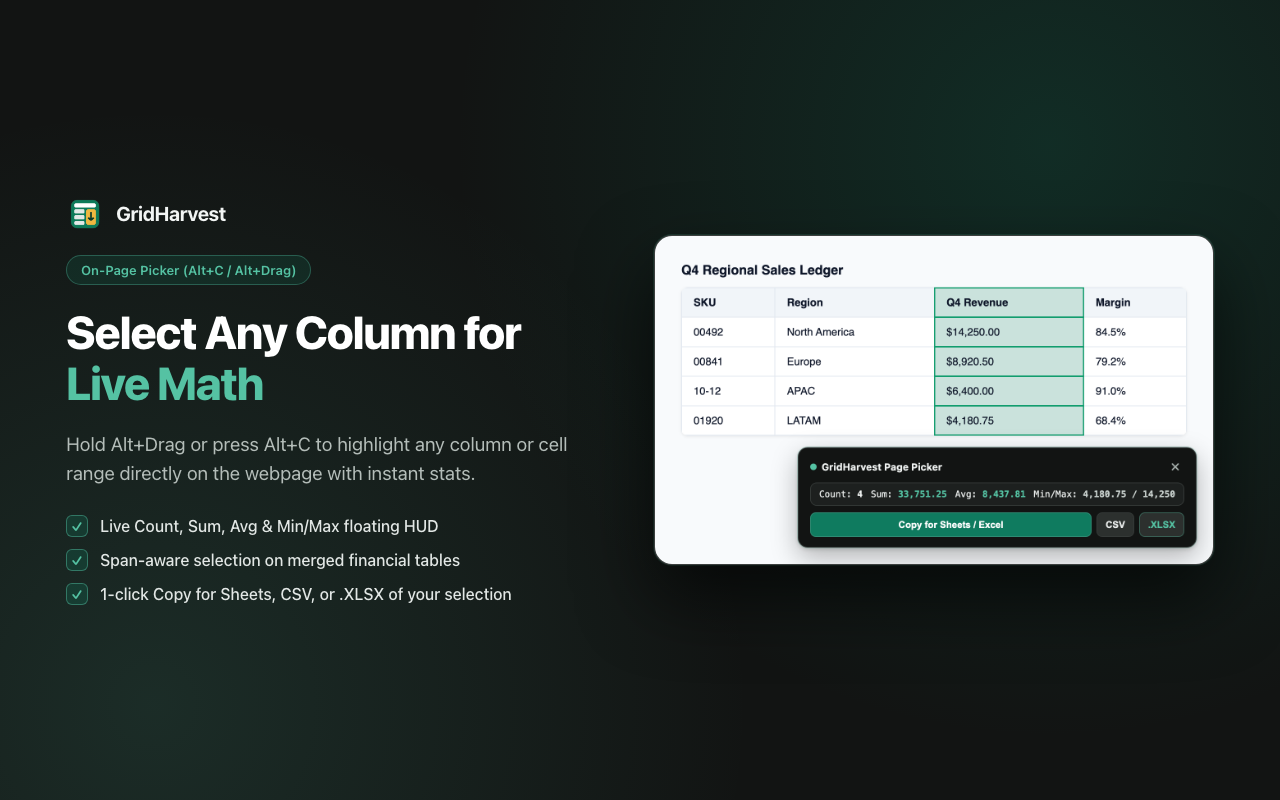
- Specific Columns Only: Press Alt+C (or hold Alt+Drag on the page) to highlight exact columns, see instant Count, Sum, Avg, and Min/Max in the floating HUD, and copy only your selection.
- Paginated Tables: Click + Append Page as you move through pages, then click Copy for Sheets in the Basket bar to paste all merged rows at once.
Frequently Asked Questions
Will Google Sheets recognize numbers and currencies pasted from GridHarvest?
Yes. With Parse numbers enabled, currencies like $1,420.50, ($450.00), and 1 420,50 EUR are copied as clean numbers ready for SUM() and charts.
How do I copy just one column from a web table?
Press Alt+C to open Page Picker, click the column header on the webpage (or drag across any cell range), and click Copy for Sheets / Excel in the floating HUD.
Does GridHarvest need access to my Google account?
No. GridHarvest copies clean TSV directly to your system clipboard so you never have to connect OAuth or grant Google Drive permissions.
Explore More GridHarvest Guides
Ready to export cleaner tables in 1 click?
Install GridHarvest free on Chrome. 100% local OpenXML .XLSX, SKU protection, and zero host permissions.
Add to Chrome - Free